MANE 3351
Microsoft Authenticator Configuration
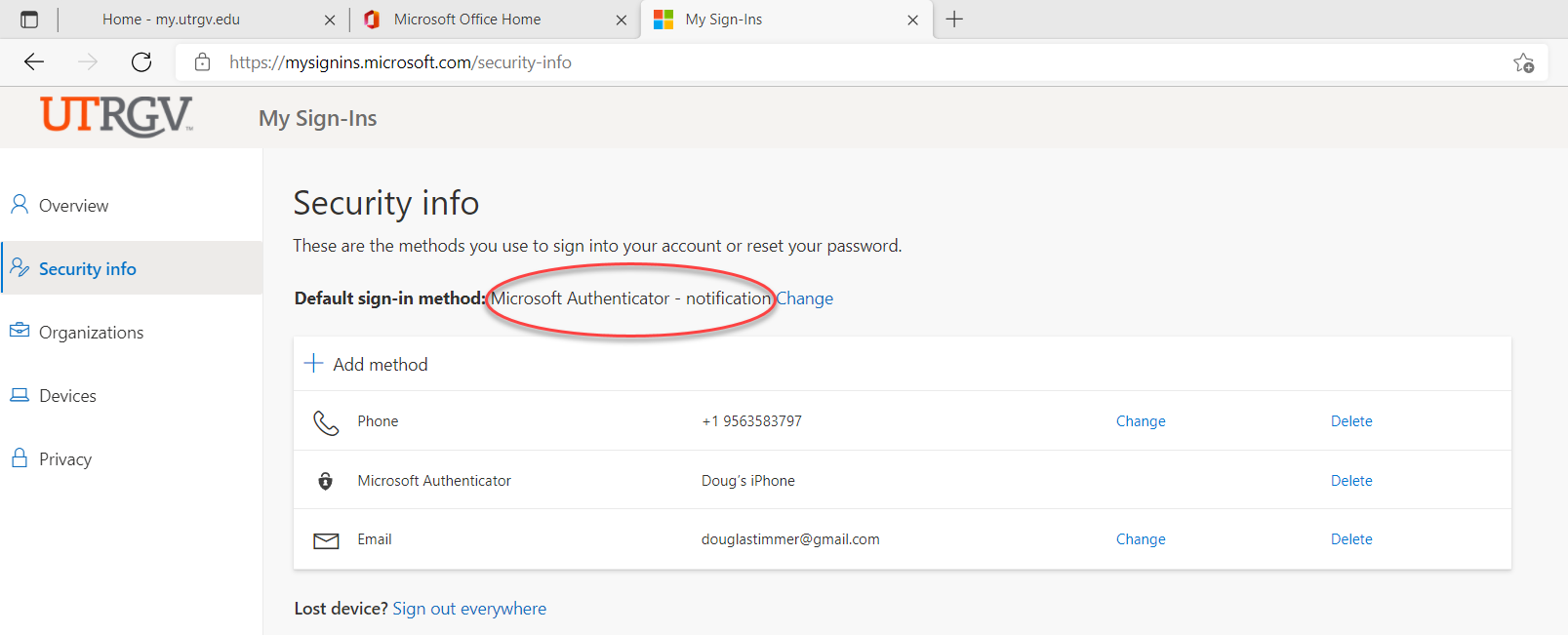
To be able to login to the Raspberry Pi virtual machines, Microsoft Authenticator is required and must be configured correctly. I had my Authenticator set to phone and could not log into the virtual machine..
This tutorial assumes that the Microsoft Authenticator app is installed on your cell phone.
The location to click is indicated by red circles and ellipses.
Step 1
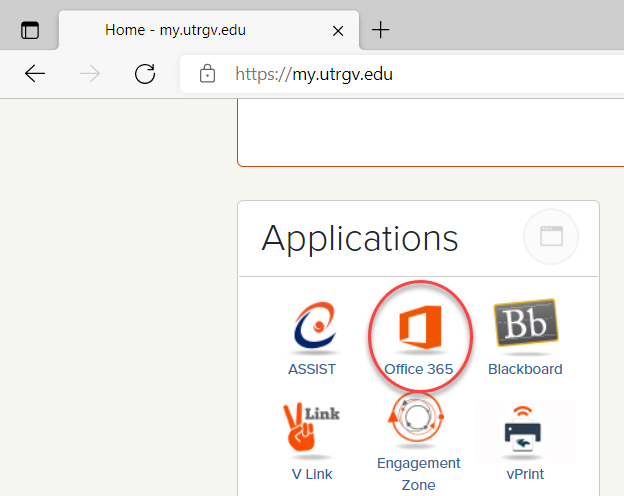
Login to my.utrgv.edu.
Step 2
Click on Office 365.
Step 3
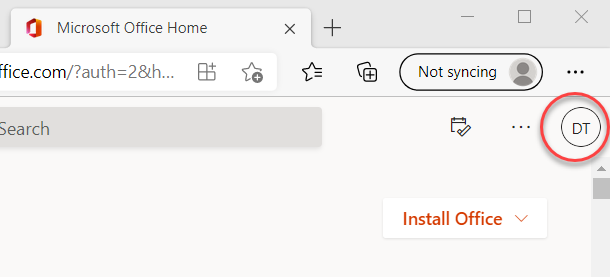
Click on your initials in the circle located in the upper right corner of the window.
Step 4
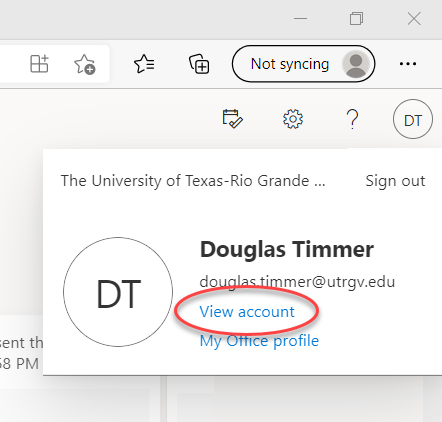
Click on View Account.
Step 5
Locate the Security Info box and click on Update Info.

Step 6
Ensure that the Default sign-in method is set to Microsoft Authenticator. If a different method is being used, click on Change and select Microsoft Authenticator.